

Pipetrics December Product Update: Cost Profiler & Slack Notifications
Pipetrics December product update brings Cost Profiler for GitHub Actions spending analysis and Slack notifications for workflow alerts.
Pipetrics December Product Update
Welcome to the Pipetrics December product update! This month brings two major features that transform how teams monitor GitHub Actions. First, there's Cost Profiler for visual spending analysis. Second, we added Slack notifications for real-time workflow alerts.
Cost Profiler: See Where Your CI/CD Budget Goes
GitHub Actions billing often feels like a black box. Consequently, you discover unexpected charges at month-end. Moreover, tracing them to specific workflows proves difficult. However, Cost Profiler solves this problem.
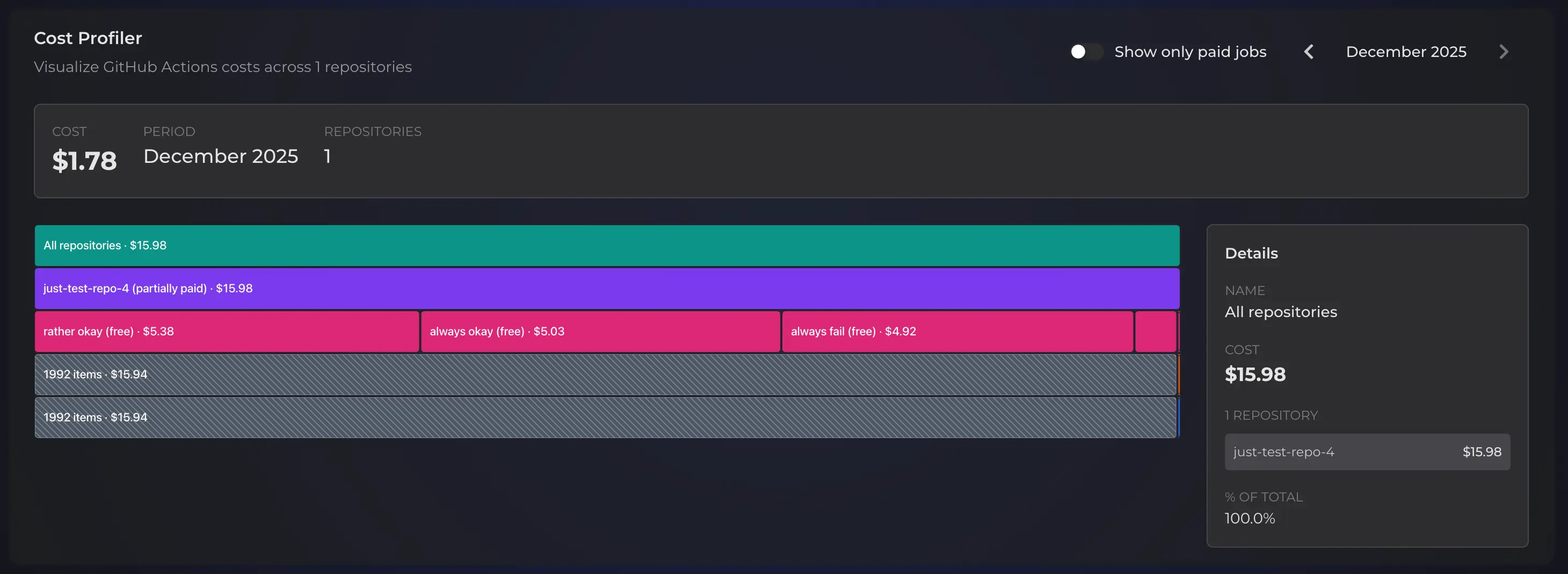
Our visual spending analysis tool displays costs as an interactive flamegraph. Each block represents a portion of your total spending. Therefore, click any segment to drill down into the data. The visualization makes patterns immediately obvious.
Navigate Through Your Spending
The flamegraph organizes costs hierarchically. Initially, start at the organization level for a complete overview. Then, explore these deeper levels:
- Repository level — Compare spending across different repos
- Workflow level — Identify which
.ymlfiles consume the most budget - Run level — Examine individual workflow executions
- Job level — Pinpoint exact jobs driving up costs
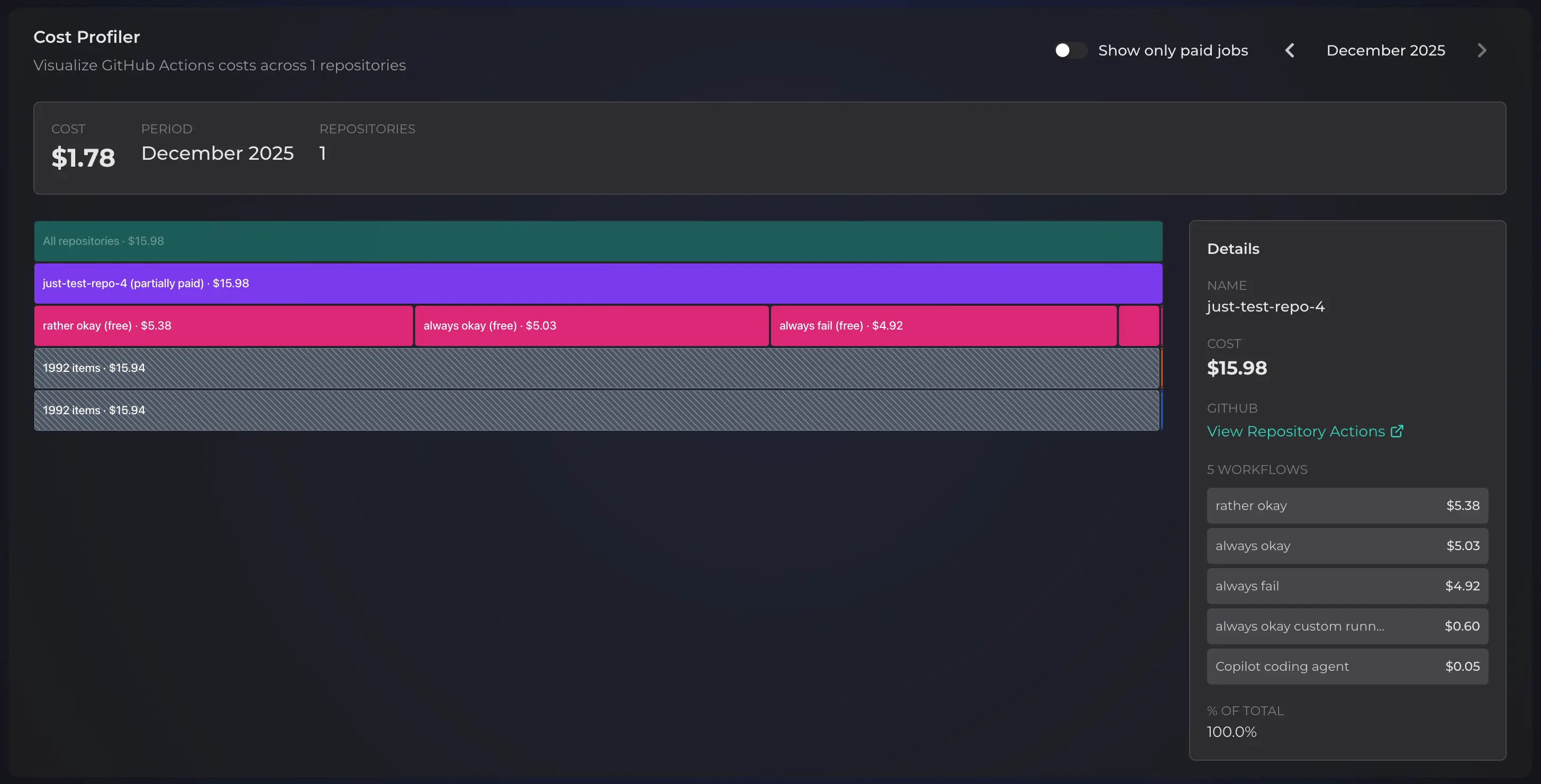
Additionally, switch between months using the date selector. This helps track spending trends over time. Furthermore, the "paid only" toggle filters out free tier usage. As a result, you see billable jobs exclusively.

Cost Profiler Pricing
Free plan users access Cost Profiler for the current month only. However, Pro plan subscribers unlock 360 days of historical data. Consequently, this enables trend analysis and month-over-month comparisons.
Ready to analyze your GitHub Actions costs? Read the full Cost Profiler documentation to learn more.
Slack Notifications: Stay Informed Without Checking GitHub
Monitoring CI/CD pipelines shouldn't require constant tab-switching. Instead, connect your Slack workspace to Pipetrics. As a result, you receive instant notifications when workflows complete. No more refreshing GitHub pages.
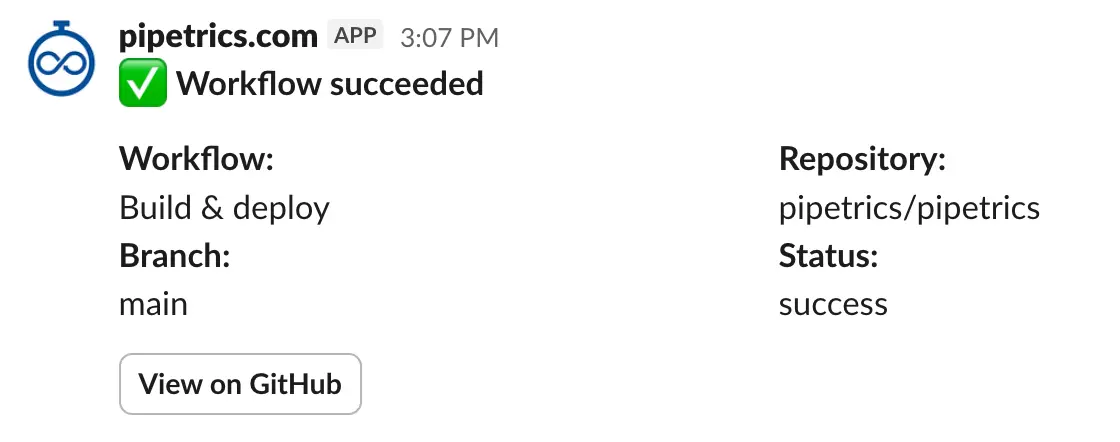
Getting Started with Slack Notifications
Setup takes just a few minutes. Here's the process:
- Install the Pipetrics app to your Slack workspace from settings
- Invite the bot to your channels (public or private both work)
- Create notification rules for specific repos and workflows
- Choose outcomes — get notified on success, failure, or both
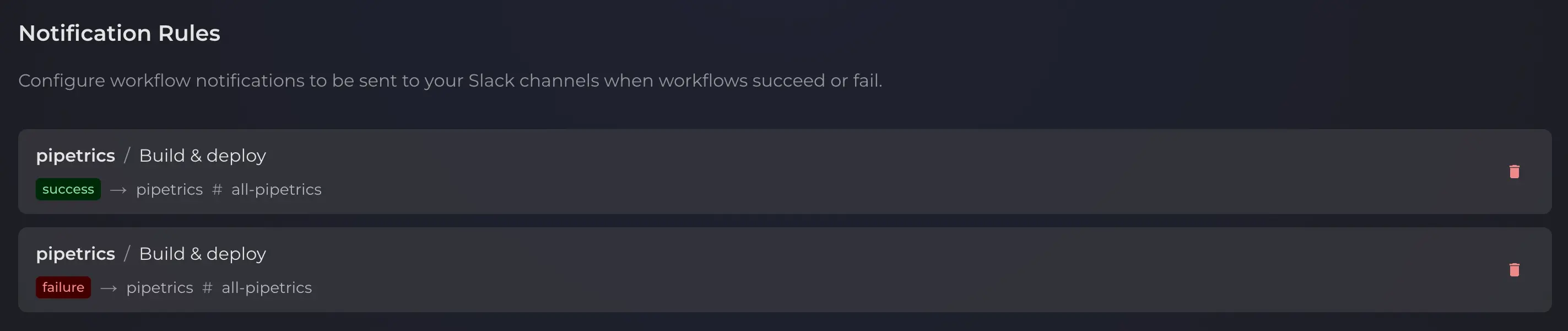
Flexible Notification Configuration
Each rule targets a specific repository and workflow file. For example, route deployment failures to #incidents. Similarly, send build successes to #dev-updates. Additionally, connect multiple Slack workspaces if your organization spans teams.
This flexibility means you control exactly what notifications you receive. DevOps teams might want failure alerts only. Development teams might prefer success notifications. Everyone gets what they need.
Slack Notifications Availability
Slack notifications require a Pro plan subscription. Check the full Slack integration guide for setup details.
What's Next
That wraps up this Pipetrics December product update! We're continuing to build features for deeper CI/CD pipeline insights. Upcoming additions include weekly summary reports and self-hosted runner cost analysis.
Have questions about these features? Reach out through our contact form. We'd love to hear your feedback and suggestions.